


Se afișează postările cu eticheta nova launcher prime. Afișați toate postările
Se afișează postările cu eticheta nova launcher prime. Afișați toate postările
Nova Launcher Prime v3.1 beta 4
Requirements: 4.0 and up
Overview: Highly customizable, performance driven, home screen replacement for Android 4.0+
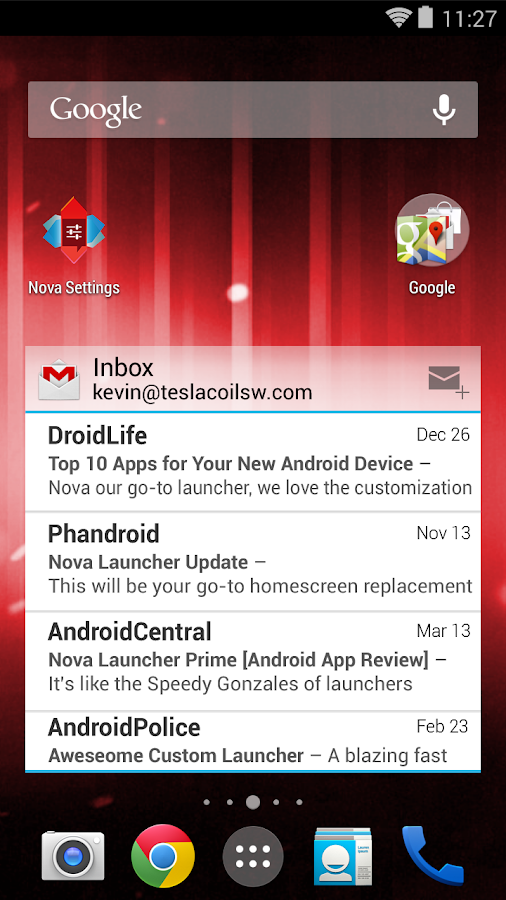
AAccept no substitues! Nova Launcher is the original and most polished customizable launcher for modern Android
Nova Launcher replaces your home screen with one you control and can customize. Change icon themes, colors, layouts, animations and more.
Reviewers love Nova Launcher and you will too
For my money, Nova Launcher is the best of the AOSP-style launchers available in Android. --Android Police
Nova Launcher has some very capable hands behind it --Phandroid
Our favorite is Nova Launcher, which strikes a great perfect balance between incredible performance and high customizability without getting too gimmicky and difficult to use --Lifehacker
Chock full of features you won't find in the stock launcher, and comes highly recommended --Android Central
• Ok, Google - Use Google Search's hotword right from the home screen, just say the words Ok, Google. Note: Google does not support all devices or locales yet. This limitaiton applies to Nova Launcher as well.
• Color Theme - Set the highlight accent color for the launcher
Also individual Color controls for labels, folders, unread count badges, drawer tabs and background
• Icon Themes - Find thousands of icon themes for Nova Launcher on the Play Store
• Subgrid positioning - Much greater control than standard launchers, Nova Launcher allows you to snap icons or widgets half way through the desktop grid cells
• Customize App Drawer - Custom tabs, Vertical or Horizontal scrolling, Custom effects
• Infinite scroll - Never far from your favorite page, loop through the desktop or drawer continously
• Backup/Restore - Sophisticated backup/restore system allowing you to backup your desktop layout and launcher settings
• Scrollable Dock - Create multiple docks and scroll between them
• Widgets in dock - Place any widget in your dock, such as a 4x1 music player widget
• Import Layout - No need to rebuild your desktop from scratch, Nova Launcher can import from most popular launchers. Including the one that came with your phone.
• Fast - Nova Launcher is highly optimized to do it's work quickly and quietly, keeping the animations smooth and letting you use your phone as fast as you can move your fingers.
What's New
Fix tab click
Show keyboard on App Search Nova Action
Fixes
This app has no advertisements
More Info:
Code:
https://play.google.com/store/apps/details?id=com.teslacoilsw.launcher
https://play.google.com/store/apps/details?id=com.teslacoilsw.notifier
Download Instructions:
1. Uninstall previous version of Nova Launcher and Tesla Unread plugin
2. Install Nova Launcher and the Tesla Unread plugin from my package (not from Google Play).
3. Enjoy!
This is patched version, fully unlocked prime funstions. No prime key is required.
If your ROM came with Nova Launcher you'll have to remove it before installing this.
Mirror:
Nova Launcher Prime v3.0.2 Final
Requirements: 4.0 and up
Overview: Highly customizable, performance driven, home screen replacement for Android 4.0+

AAccept no substitues! Nova Launcher is the original and most polished customizable launcher for modern Android
Nova Launcher replaces your home screen with one you control and can customize. Change icon themes, colors, layouts, animations and more.
Reviewers love Nova Launcher and you will too
For my money, Nova Launcher is the best of the AOSP-style launchers available in Android. --Android Police
Nova Launcher has some very capable hands behind it --Phandroid
Our favorite is Nova Launcher, which strikes a great perfect balance between incredible performance and high customizability without getting too gimmicky and difficult to use --Lifehacker
Chock full of features you won't find in the stock launcher, and comes highly recommended --Android Central
• Ok, Google - Use Google Search's hotword right from the home screen, just say the words Ok, Google. Note: Google does not support all devices or locales yet. This limitaiton applies to Nova Launcher as well.
• Color Theme - Set the highlight accent color for the launcher
Also individual Color controls for labels, folders, unread count badges, drawer tabs and background
• Icon Themes - Find thousands of icon themes for Nova Launcher on the Play Store
• Subgrid positioning - Much greater control than standard launchers, Nova Launcher allows you to snap icons or widgets half way through the desktop grid cells
• Customize App Drawer - Custom tabs, Vertical or Horizontal scrolling, Custom effects
• Infinite scroll - Never far from your favorite page, loop through the desktop or drawer continously
• Backup/Restore - Sophisticated backup/restore system allowing you to backup your desktop layout and launcher settings
• Scrollable Dock - Create multiple docks and scroll between them
• Widgets in dock - Place any widget in your dock, such as a 4x1 music player widget
• Import Layout - No need to rebuild your desktop from scratch, Nova Launcher can import from most popular launchers. Including the one that came with your phone.
• Fast - Nova Launcher is highly optimized to do it's work quickly and quietly, keeping the animations smooth and letting you use your phone as fast as you can move your fingers.
What's New:
-"L" style folder preview (Settings > Folders > Folder Preview > Line)
-"L" style app animation (Settings > Look and Feel > App Animation > Slide Up)
-"L" style search bar (Settings > Desktop > Persistent Search Bar > L, or long-press on the quick search bar widget and select Edit)
-"L" style app drawer icon (Long-press on the app drawer icon and select Edit then tap the icon and select the opaque white icon under Built-in)
-Fixes and optimizations
This app has no advertisements
More Info:
Download Instructions:
1. Uninstall previous version of Nova Launcher and Tesla Unread plugin
2. Install Nova Launcher and the Tesla Unread plugin from my package (not from Google Play).
3. Enjoy!
This is patched version, fully unlocked prime funstions. No prime key is required.
If your ROM came with Nova Launcher you'll have to remove it before installing this.
http://ul.to/7krinmwe
Mirror:
https://www.oboom.com/IHCAEIXM/com.teslacoilsw.launcher-3.0.2-signed.zip
http://unlimitzone.com/0pyfnf64yl7p/com ... d.zip.html
http://www.tusfiles.net/f059dbaf347m
READ MORE
Requirements: 4.0 and up
Overview: Highly customizable, performance driven, home screen replacement for Android 4.0+
AAccept no substitues! Nova Launcher is the original and most polished customizable launcher for modern Android
Nova Launcher replaces your home screen with one you control and can customize. Change icon themes, colors, layouts, animations and more.
Reviewers love Nova Launcher and you will too
For my money, Nova Launcher is the best of the AOSP-style launchers available in Android. --Android Police
Nova Launcher has some very capable hands behind it --Phandroid
Our favorite is Nova Launcher, which strikes a great perfect balance between incredible performance and high customizability without getting too gimmicky and difficult to use --Lifehacker
Chock full of features you won't find in the stock launcher, and comes highly recommended --Android Central
• Ok, Google - Use Google Search's hotword right from the home screen, just say the words Ok, Google. Note: Google does not support all devices or locales yet. This limitaiton applies to Nova Launcher as well.
• Color Theme - Set the highlight accent color for the launcher
Also individual Color controls for labels, folders, unread count badges, drawer tabs and background
• Icon Themes - Find thousands of icon themes for Nova Launcher on the Play Store
• Subgrid positioning - Much greater control than standard launchers, Nova Launcher allows you to snap icons or widgets half way through the desktop grid cells
• Customize App Drawer - Custom tabs, Vertical or Horizontal scrolling, Custom effects
• Infinite scroll - Never far from your favorite page, loop through the desktop or drawer continously
• Backup/Restore - Sophisticated backup/restore system allowing you to backup your desktop layout and launcher settings
• Scrollable Dock - Create multiple docks and scroll between them
• Widgets in dock - Place any widget in your dock, such as a 4x1 music player widget
• Import Layout - No need to rebuild your desktop from scratch, Nova Launcher can import from most popular launchers. Including the one that came with your phone.
• Fast - Nova Launcher is highly optimized to do it's work quickly and quietly, keeping the animations smooth and letting you use your phone as fast as you can move your fingers.
What's New:
-"L" style folder preview (Settings > Folders > Folder Preview > Line)
-"L" style app animation (Settings > Look and Feel > App Animation > Slide Up)
-"L" style search bar (Settings > Desktop > Persistent Search Bar > L, or long-press on the quick search bar widget and select Edit)
-"L" style app drawer icon (Long-press on the app drawer icon and select Edit then tap the icon and select the opaque white icon under Built-in)
-Fixes and optimizations
This app has no advertisements
More Info:
Code:
https://play.google.com/store/apps/details?id=com.teslacoilsw.launcher
https://play.google.com/store/apps/details?id=com.teslacoilsw.notifier
https://play.google.com/store/apps/details?id=com.teslacoilsw.notifier
Download Instructions:
1. Uninstall previous version of Nova Launcher and Tesla Unread plugin
2. Install Nova Launcher and the Tesla Unread plugin from my package (not from Google Play).
3. Enjoy!
This is patched version, fully unlocked prime funstions. No prime key is required.
If your ROM came with Nova Launcher you'll have to remove it before installing this.
http://ul.to/7krinmwe
Mirror:
https://www.oboom.com/IHCAEIXM/com.teslacoilsw.launcher-3.0.2-signed.zip
http://unlimitzone.com/0pyfnf64yl7p/com ... d.zip.html
http://www.tusfiles.net/f059dbaf347m
Nova Launcher Prime v3.0.2 beta 2
Requirements: 4.0 and up
Overview: Highly customizable, performance driven, home screen replacement for Android 4.0+
Requirements: 4.0 and up
Overview: Highly customizable, performance driven, home screen replacement for Android 4.0+

AAccept no substitues! Nova Launcher is the original and most polished customizable launcher for modern Android
Nova Launcher replaces your home screen with one you control and can customize. Change icon themes, colors, layouts, animations and more.
Reviewers love Nova Launcher and you will too
For my money, Nova Launcher is the best of the AOSP-style launchers available in Android. --Android Police
Nova Launcher has some very capable hands behind it --Phandroid
Our favorite is Nova Launcher, which strikes a great perfect balance between incredible performance and high customizability without getting too gimmicky and difficult to use --Lifehacker
Chock full of features you won't find in the stock launcher, and comes highly recommended --Android Central
• Ok, Google - Use Google Search's hotword right from the home screen, just say the words Ok, Google. Note: Google does not support all devices or locales yet. This limitaiton applies to Nova Launcher as well.
• Color Theme - Set the highlight accent color for the launcher
Also individual Color controls for labels, folders, unread count badges, drawer tabs and background
• Icon Themes - Find thousands of icon themes for Nova Launcher on the Play Store
• Subgrid positioning - Much greater control than standard launchers, Nova Launcher allows you to snap icons or widgets half way through the desktop grid cells
• Customize App Drawer - Custom tabs, Vertical or Horizontal scrolling, Custom effects
• Infinite scroll - Never far from your favorite page, loop through the desktop or drawer continously
• Backup/Restore - Sophisticated backup/restore system allowing you to backup your desktop layout and launcher settings
• Scrollable Dock - Create multiple docks and scroll between them
• Widgets in dock - Place any widget in your dock, such as a 4x1 music player widget
• Import Layout - No need to rebuild your desktop from scratch, Nova Launcher can import from most popular launchers. Including the one that came with your phone.
• Fast - Nova Launcher is highly optimized to do it's work quickly and quietly, keeping the animations smooth and letting you use your phone as fast as you can move your fingers.
What's New:
-Tuning of slide up animation
-Fix isolate tabs
-Fixes
This app has no advertisements
More Info:
Code:
https://play.google.com/store/apps/details?id=com.teslacoilsw.launcher
https://play.google.com/store/apps/details?id=com.teslacoilsw.notifier
https://play.google.com/store/apps/details?id=com.teslacoilsw.notifier
Download Instructions:
1. Uninstall previous version of Nova Launcher and Tesla Unread plugin
2. Install Nova Launcher and the Tesla Unread plugin from my package (not from Google Play).
3. Enjoy!
This is patched version, fully unlocked prime funstions. No prime key is required.
If your ROM came with Nova Launcher you'll have to remove it before installing this.
https://www.oboom.com/2GBS5DCA
Mirror:
http://ul.to/hw556cjk
http://www.tusfiles.net/ekoozblr177p
Nova Launcher Prime v2.2 beta 1
Requirements: 4.0 and up
Overview: Highly customizable, performance driven, home screen replacement for Android 4.0+
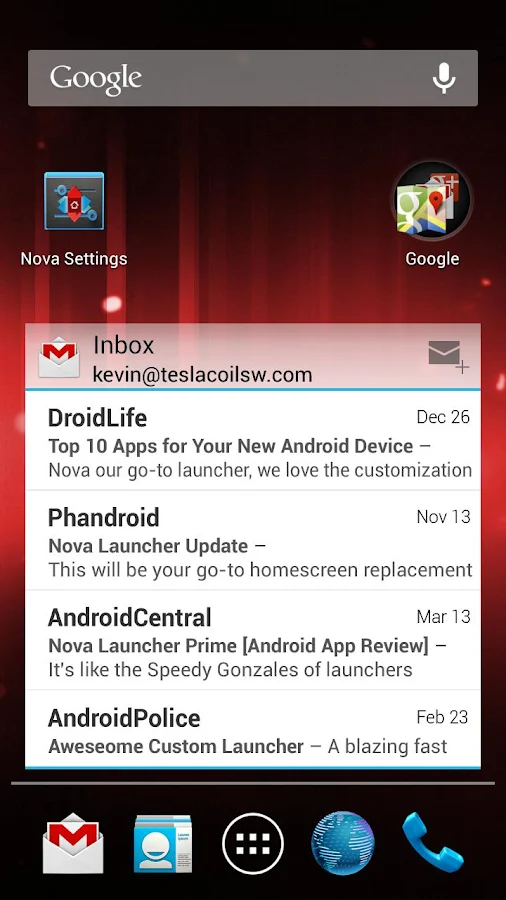
Accept no substitutes! Nova Launcher is the original and most polished customizable launcher for Android 4.
Features include:
Color Themes
Change the accent color of the launcher, full color picker support
Icon Themes
Apply ADW or Go launcher icon themes to all app icons
Scrollable Dock (for Tablets and Phones)
Keep all your favorite apps on the dock, with up to 7 icons per page and up to 3 pages.
Customizable App Drawer:
Transparency
Scrolling style, choose between horizontal paginated or vertical continuous
Scroll Effects
Enjoy eye candy when scrolling your desktop and drawer. Effects include Cube and Cardstack and more for Prime users.
Infinite Scroll
Never be far from your favorite page, loop through your desktop continuously.
Folder Icons
You can chose a background, preview style or even replace the whole icon.
Backup/Restore
Export your settings and layout before a wipe to quickly get back up and running.
Widgets in dock
Add any 1x1 widget to the dock
Widget Overlapping
Overlap on resize or placement, long-press to send to back or bring to front
Bulk Add
Add multiple apps to the desktop or a folder at once
Activities shortcut
Select hidden activities from your favorite apps
*Nova Launcher Prime Features (Paid version)*
Nova Launcher Prime unlocks the following features in Nova Launcher:
Drawer Groups:
Folders in App Drawer
Unlimited custom tabs
Organize apps into tabs and folders in the app drawer
Gestures
Quickly start Nova Actions or Apps from gestures on the desktop, such as pinching, swiping or two-finger swiping.
Hide Apps
Keep a clutter free drawer by hidding never used apps.
Dock Swipes
Get more use out of your dock apps by setting swipe-actions
Unread Counts
Never miss an email. Unread count badges for SMS, Missed calls, Gmail, Email, Google Voice and more. Counts show in the dock, desktop, drawer and folders.
More Scroll Effects
Installation Instructions:
1. Uninstall previous version of Nova Launcher. Clear cache.
2. Install Nova Launcher and the Tesla Unread plugin from my package (not from Google Play).
3. Enjoy!!
What's in this version:
2.2beta1 Jul 27, 2013
Dock Background
New Unread Count badge options
New Scroll Effects
Optimizations & Fixes
This app has NO advertisements
More Info:
https://play.google.com/store/apps/details?id=com.teslacoilsw.launcher
https://play.google.com/store/apps/details?id=com.teslacoilsw.notifier
Download Instructions:
This is patched version, fully unlocked prime functions. No prime key is required.
If your ROM came with Nova Launcher you'll have to remove it before installing this.

READ MORE
Requirements: 4.0 and up
Overview: Highly customizable, performance driven, home screen replacement for Android 4.0+
Accept no substitutes! Nova Launcher is the original and most polished customizable launcher for Android 4.
Features include:
Color Themes
Change the accent color of the launcher, full color picker support
Icon Themes
Apply ADW or Go launcher icon themes to all app icons
Scrollable Dock (for Tablets and Phones)
Keep all your favorite apps on the dock, with up to 7 icons per page and up to 3 pages.
Customizable App Drawer:
Transparency
Scrolling style, choose between horizontal paginated or vertical continuous
Scroll Effects
Enjoy eye candy when scrolling your desktop and drawer. Effects include Cube and Cardstack and more for Prime users.
Infinite Scroll
Never be far from your favorite page, loop through your desktop continuously.
Folder Icons
You can chose a background, preview style or even replace the whole icon.
Backup/Restore
Export your settings and layout before a wipe to quickly get back up and running.
Widgets in dock
Add any 1x1 widget to the dock
Widget Overlapping
Overlap on resize or placement, long-press to send to back or bring to front
Bulk Add
Add multiple apps to the desktop or a folder at once
Activities shortcut
Select hidden activities from your favorite apps
*Nova Launcher Prime Features (Paid version)*
Nova Launcher Prime unlocks the following features in Nova Launcher:
Drawer Groups:
Folders in App Drawer
Unlimited custom tabs
Organize apps into tabs and folders in the app drawer
Gestures
Quickly start Nova Actions or Apps from gestures on the desktop, such as pinching, swiping or two-finger swiping.
Hide Apps
Keep a clutter free drawer by hidding never used apps.
Dock Swipes
Get more use out of your dock apps by setting swipe-actions
Unread Counts
Never miss an email. Unread count badges for SMS, Missed calls, Gmail, Email, Google Voice and more. Counts show in the dock, desktop, drawer and folders.
More Scroll Effects
Installation Instructions:
1. Uninstall previous version of Nova Launcher. Clear cache.
2. Install Nova Launcher and the Tesla Unread plugin from my package (not from Google Play).
3. Enjoy!!
What's in this version:
2.2beta1 Jul 27, 2013
Dock Background
New Unread Count badge options
New Scroll Effects
Optimizations & Fixes
This app has NO advertisements
More Info:
https://play.google.com/store/apps/details?id=com.teslacoilsw.launcher
https://play.google.com/store/apps/details?id=com.teslacoilsw.notifier
Download Instructions:
This is patched version, fully unlocked prime functions. No prime key is required.
If your ROM came with Nova Launcher you'll have to remove it before installing this.
