


Se afișează postările cu eticheta apps. Afișați toate postările
Se afișează postările cu eticheta apps. Afișați toate postările
MX Player Pro v1.7.39.nightly.20150425 (Patched/with DTS & AC3 Support)
Requirements: 2.1 and up
Overview: THIS IS THE AD-FREE VERSION OF MX PLAYER.
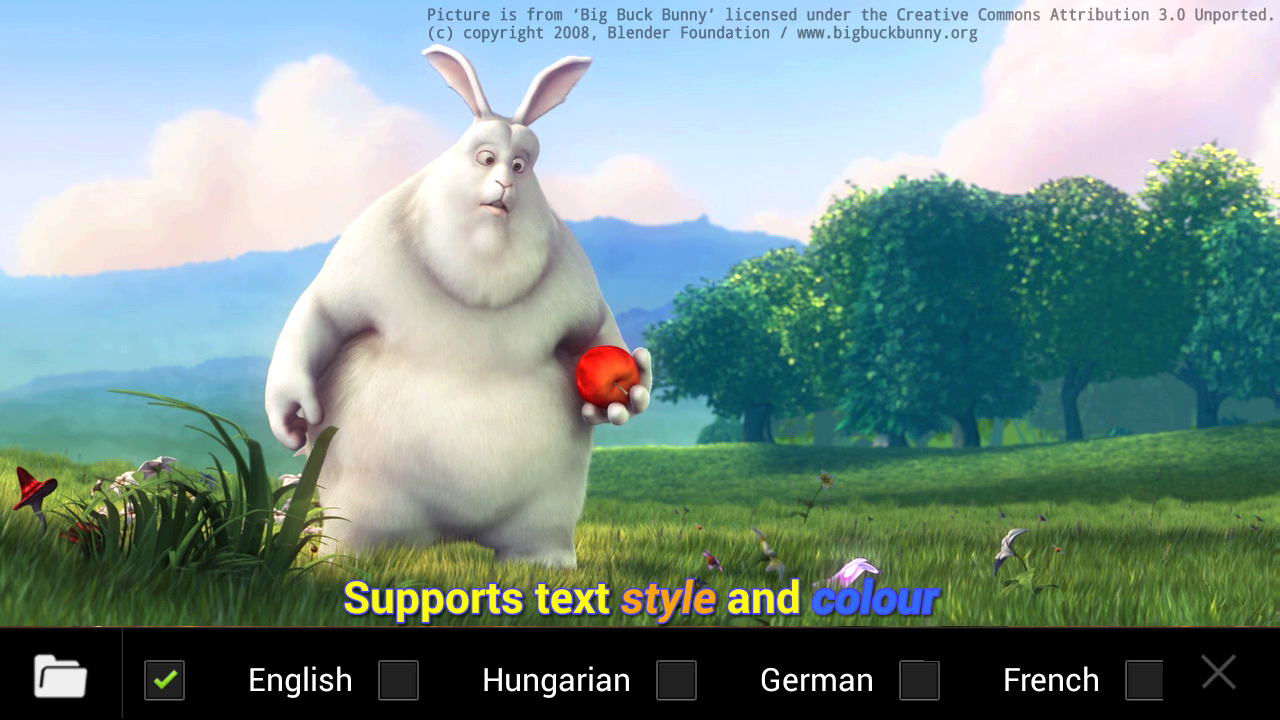
MX Player - The best way to enjoy your movies.
a) HARDWARE ACCELERATION - Hardware acceleration can be applied to more videos with the help of new H/W decoder.
b) MULTI-CORE DECODING - MX Player is the first Android video player which supports multi-core decoding. Test result proved that dual-core device’s performance is up to 70% better than single-core devices.
c) PINCH TO ZOOM, ZOOM AND PAN - Easily zoom in and out by pinching and swiping across the screen. Zoom and Pan is also available by option.
d) SUBTITLE GESTURES - Scroll forward/backward to move to next/previous text, Up/down to move text up and down, Zoom in/out to change text size.
e) KIDS LOCK - Keep your kids entertained without having to worry that they can make calls or touch other apps. (plugin required)
Subtitle formats:
- DVD, DVB, SSA/ASS Subtitle tracks.
- SubStation Alpha(.ssa/.ass) with full styling.
- SAMI(.smi) with ruby tag support.
- SubRip(.srt)
- MicroDVD(.sub)
- VobSub(.sub/.idx)
- SubViewer2.0(.sub)
- MPL2(.mpl)
- PowerDivX(.psb)
- TMPlayer(.txt)
- Teletext
- PJS(.pjs)
- WebVTT(.vtt)
******
What's New
Support online subtitle downloading.
Action for keyboard(DPad) up/down key can be defined on Playback screen > Menu > Display > Touch
Can delete/rename files on external storage on Android 5.0 Lollipop and later.
Added an option for disabling playback interface auto hiding.
Added an option for requesting root privilege on Settings > General > Request root privilege. It works only on rooted device and may allow delete/name files on external storage on Android 4.4 KitKat.
Added an option for perform ff/rew on next/prev media buttons on Settings > Player > Next/Prev -> FF/Rew.
Added SW audio (local) option under Settings > Decoder.
Display album arts on the lock screen while playing in background on Android 5.0 Lollipop. This behavior can be disabled on Settings > Player > Background play > Album art.
Playback screen theme can be changed on Settings > Player > Theme, for Android 3.0 Honeycomb and later.
Added sleep timer on Menu > Tools > Sleep timer.
Bug fixes
This app has NO advertisements
Note:
Patched version, no lucky patcher or Google Play MOD needed!
Please remove all previous version and codec at first!!!
* Make a backup of your current version's data/setting (if necessary)
** Restore your backup data/setting (if necessary)
More Info:
Download Instructions: Integrated AC3 support by default in this release! No need to separately install the additional codec pack for AC3 support!
MX Player Pro v1.7.39.nightly.20150425 Patched (NEON) (MX Player Pro (NEON) = MX Player Pro + ARMv7+NEON Codec)
https://userscloud.com/hdfh72jlt4ay
Mirror:
http://ul.to/ngv8cvwg
http://www.tusfiles.net/3lapu486z84g
READ MORE
Requirements: 2.1 and up
Overview: THIS IS THE AD-FREE VERSION OF MX PLAYER.
MX Player - The best way to enjoy your movies.
a) HARDWARE ACCELERATION - Hardware acceleration can be applied to more videos with the help of new H/W decoder.
b) MULTI-CORE DECODING - MX Player is the first Android video player which supports multi-core decoding. Test result proved that dual-core device’s performance is up to 70% better than single-core devices.
c) PINCH TO ZOOM, ZOOM AND PAN - Easily zoom in and out by pinching and swiping across the screen. Zoom and Pan is also available by option.
d) SUBTITLE GESTURES - Scroll forward/backward to move to next/previous text, Up/down to move text up and down, Zoom in/out to change text size.
e) KIDS LOCK - Keep your kids entertained without having to worry that they can make calls or touch other apps. (plugin required)
Subtitle formats:
- DVD, DVB, SSA/ASS Subtitle tracks.
- SubStation Alpha(.ssa/.ass) with full styling.
- SAMI(.smi) with ruby tag support.
- SubRip(.srt)
- MicroDVD(.sub)
- VobSub(.sub/.idx)
- SubViewer2.0(.sub)
- MPL2(.mpl)
- PowerDivX(.psb)
- TMPlayer(.txt)
- Teletext
- PJS(.pjs)
- WebVTT(.vtt)
******
What's New
Support online subtitle downloading.
Action for keyboard(DPad) up/down key can be defined on Playback screen > Menu > Display > Touch
Can delete/rename files on external storage on Android 5.0 Lollipop and later.
Added an option for disabling playback interface auto hiding.
Added an option for requesting root privilege on Settings > General > Request root privilege. It works only on rooted device and may allow delete/name files on external storage on Android 4.4 KitKat.
Added an option for perform ff/rew on next/prev media buttons on Settings > Player > Next/Prev -> FF/Rew.
Added SW audio (local) option under Settings > Decoder.
Display album arts on the lock screen while playing in background on Android 5.0 Lollipop. This behavior can be disabled on Settings > Player > Background play > Album art.
Playback screen theme can be changed on Settings > Player > Theme, for Android 3.0 Honeycomb and later.
Added sleep timer on Menu > Tools > Sleep timer.
Bug fixes
This app has NO advertisements
Note:
Patched version, no lucky patcher or Google Play MOD needed!
Please remove all previous version and codec at first!!!
* Make a backup of your current version's data/setting (if necessary)
** Restore your backup data/setting (if necessary)
More Info:
Code:
https://play.google.com/store/apps/details?id=com.mxtech.videoplayer.pro
Download Instructions: Integrated AC3 support by default in this release! No need to separately install the additional codec pack for AC3 support!
MX Player Pro v1.7.39.nightly.20150425 Patched (NEON) (MX Player Pro (NEON) = MX Player Pro + ARMv7+NEON Codec)
https://userscloud.com/hdfh72jlt4ay
Mirror:
http://ul.to/ngv8cvwg
http://www.tusfiles.net/3lapu486z84g
Xposed Installer v3.0 alpha 3
Requirements: Android 5.0.x, ROOT
Overview: Xposed for Lollipop is finally here!
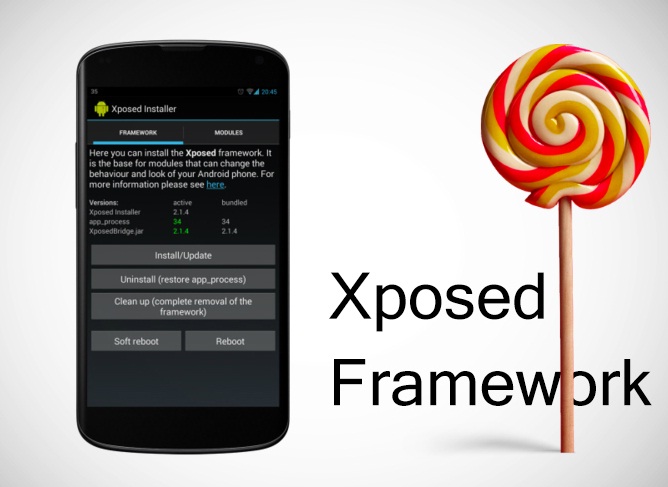
Note that this is still an alpha version and for Lollipop on ARMv7+ devices only.
Please install it only if you're willing to take the risk of boot loops. Just because it's working fine and stable for me doesn't mean it will work for everyone the same way.
READ MORE
Requirements: Android 5.0.x, ROOT
Overview: Xposed for Lollipop is finally here!
Note that this is still an alpha version and for Lollipop on ARMv7+ devices only.
Please install it only if you're willing to take the risk of boot loops. Just because it's working fine and stable for me doesn't mean it will work for everyone the same way.
Locus Map Pro - Outdoor GPS v3.8.0
Requirements: 2.2 and up, ROOT, Modded Google Play
Overview: GPS outdoor navigation app that is packed with features. View topo maps offline, track your route, hunt geocaches, use a voice guide and do even more...
Overview: GPS outdoor navigation app that is packed with features. View topo maps offline, track your route, hunt geocaches, use a voice guide and do even more...
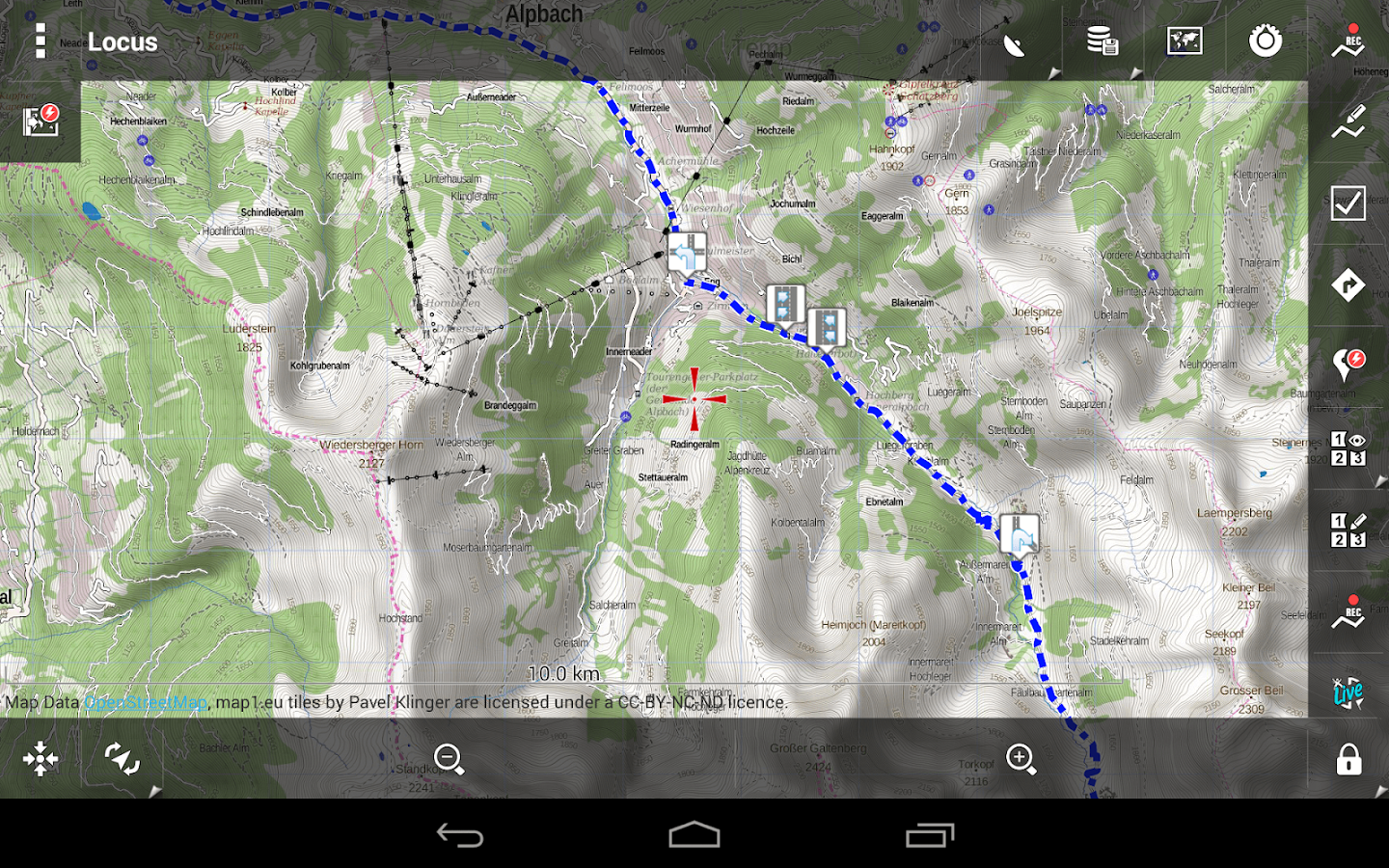
- Explore new places
- Download cycling and hiking maps for offline use
- Plan your geocaching adventure
- Save you favorite routes and places
- Save your battery with smart GPS system
- Import your own tracks and points
- Enjoy new and improved features every month
and much more
SuperSU Pro Unlocker v2.00
Requirements: Android 2.1+, Rooted phone
Overview: SuperSU is the Superuser access management tool of the future 

!!! This is a license file for SuperSU. This is NOT a stand-alone app. You need SuperSU already installed. Reboot after installation !!!
SuperSU Pro adds the following features to your SuperSU installation:
- OTA survival mode (no guarantees)
- Full color-coded command content logging (input/output/error)
- Per-app logging configuration
- Per-app user override
- PIN protection
See the SuperSU app description for further details on SuperSU.
Note that SuperSU Pro is rarely updated - most of the updated code goes directly into the main SuperSU app. That is the one you need to update.
Unbounce Xposed Pro v1.1.6 [Donate Unlocked]
Requirements: Android 4.1+, ROOT, Xposed Framework
Overview: Unbounce puts you in control of how your device uses your battery by controlling how often your device can wake up, and how long it can stay awake. Use the recommended settings for easy battery savings, or dig in and customize every alarm and wakelock on your device.
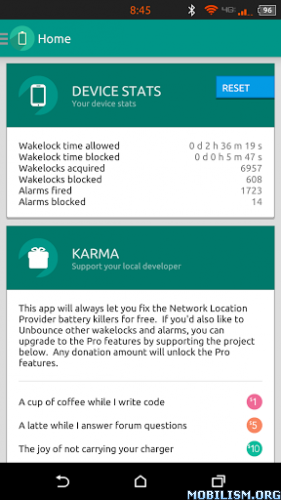
*** Requires Root and the Xposed Framework
***Unsolicited quotes from real users:
"It gave me about 2 hours more use with 30 minutes more screen on time. Saved me from buying a $25 battery."
"Just donated 5 Dollars to support this masterpiece.. Keep up the good work"
"Simply amazing"
"[Unbounce] just revolutionized the true meaning of wakelock managing"
"This module is awesome! I get less than a half percent drain per hour for idle standby. "
...and many more.
Evernote Premium v6.0.1
Requirements: Varies with device
Overview: Evernote is an easy-to-use, free app that helps you remember everything across all of the devices you use. Stay organized, save your ideas and improve productivity. Evernote lets you take notes, capture photos, create to-do lists, record voice reminders--and makes these notes completely searchable, whether you are at home, at work, or on the go.
Description
★ New York Times ‘Top 10 Must-Have App’, Winner: TechCrunch Crunchies, Mashable Awards and the Webbys. ★
Evernote is an easy-to-use, free app that helps you remember everything across all of the devices you use. Stay organized, save your ideas and improve productivity. Evernote lets you take notes, capture photos, create to-do lists, record voice reminders--and makes these notes completely searchable, whether you are at home, at work, or on the go.
WhatsApp+ v6.20D (MOD version)
Requirements: 2.1+
Overview: What is WhatsApp+? Basically it is a customizable WhatsApp where you can change lots of colours, sizes, and many other visual MODs In addition you can increase upload media limit (stock limit is 16Mb) to send large music files or videos.

You can increase quality of pictures sent (by default resolution is decreased quite a lot) You can share music just with one click You can add contact profile pictures to their chats You can hide contact profile pictures and show phonebook pictures (in chat screen) Built-in theme viewer and downloader. Check WhatsApp+ users themes online and apply theme if you like And more to come Remember to previously uninstall whatsapp if you come from the official version (if not you will get the "not installed" error)
Google Play services 6.1.05 (1438406-032&34&36&38&70)
Requirements: Android 2.3.0+
Overview: Google Play services is used to update Google apps and apps from Google Play.

This component provides core functionality like authentication to your Google services, synchronized contacts, access to all the latest user privacy settings, and higher quality, lower-powered location based services.
Google Play services also enhances your app experience. It speeds up offline searches, provides more immersive maps, and improves gaming experiences.
Apps may not work if you uninstall Google Play services.
Whats New
The new features include an Enhanced Ecommerce extension for analytics, improvements to Drive support, and testing capabilities for the upcoming Google Fit platform.
Malwarebytes Anti-Malware v1.04.3
Requirements: 2.3+
Overview: The world’s most popular anti-malware technology has now gone mobile! Malwarebytes Anti-Malware Mobile protects your phone or tablet from malware, infected apps, and unauthorized surveillance.

Malwarebytes Anti-Malware Mobile
• Detects and eliminates malware, including spyware and Trojans
• Scans your apps for malicious code or Potentially Unwanted Programs (PUPs)
• Scans archived files and files stored on external SD card for complete coverage
• Stops unauthorized access to your personal data
• Scans your Android device for security vulnerabilities
• Identifies applications that are tracking your location
SD Maid Pro - Unlocker v3.1.0.0
Requirements: Varies with Device | "SD Maid - System Cleaning Tool" (Free) installed | ROOT (for full use/options) - not required, just limited otherwise.
Overview: It unlocks the "Pro" status in the free version of SD Maid.

This app needs "SD Maid - System Cleaning Tool" to be INSTALLED!
It unlocks the "Pro" status in the free version, enabling all additional features.
SD Maid is a powerful tool. USE AT OWN RISK!
Nobody is perfect and Android neither.
- Apps you have already deleted sometimes leave data behind.
- The system constantly creates logs, crash reports and debug files you don't really need.
- Your SD-card is collecting files and directories you don't recognize.
Lets not go on here...
Why not get a maid to clean it all up?
SD Maid will help you keep your device neat, clean and tidy  !
!
!
Give it a try, you won't find a more thorough cleaning tool!
Please see SD Maid - System Cleaner for further information!
* * Contact me at (support@thedarken.eu) if you have questions or problems. I usually respond quite quickly and will happily help you out. * *
Obtaining SD Maid from unofficial sources puts your device at risk.
What's New
Language update, added AR,LT and ID.
Smart IR Remote - AnyMote v2.0.6
Requirements: 4.0.3 and up
Overview: Smart IR Remote, the best InfraRed remote app on Google Play, is now back, and better than ever!
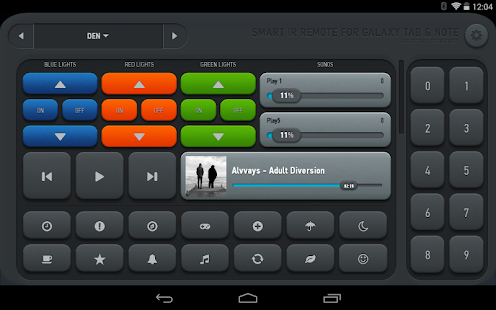
With the largest number (and best combination) of features, most beautiful UI, simplest user interface and app flow, and more than 500.000 supported devices (adding hundreds more every day), Smart IR Remote is simply the best IR Remote app out there!
Now compatible with all Samsung tablets and notes carrying an IR Blaster, as well as all similar HTC devices.
Compatible with:
Samsung Galaxy Tab , Samsung Galaxy S4, Samsung Galaxy Note, HTC One, and all other variations carrying an InfraRed Blaster from Samsung and HTC.
!! EMAIL US WITH ANY QUESTIONS OR PROBLEMS YOU MAY HAVE, WE'D BE MORE THAN HAPPY TO HELP YOU. UNFORTUNATELY WE CAN'T OFFER SUPPORT OR REPLY TO EVERY REVIEW ON THE PLAY STORE !!
You can now use your phone as an Universal Infrared Remote (IR Remote)
Why should you need to use more than one remote for all the devices you own ?
With Smart Remote for your Samsung Galaxy S4 (we don't officially support custom ROMs yet), you can add, create and customize any number of remotes, combining controls from any of your existing remotes. Imagine a single remote on which the CHANNEL UP button controls your Set Top Box from your TV provider, the VOLUME keys control your home theater system and the arrow keys control your TV's menu.
On top of all that, since you're holding a phone, why not use some of it's unique features?
UC Browser for Android v9.9.4 Buid 135
Requirements: 2.2 and up
Overview: UC Browser for Android gives you a fast all-in-one web experience - an excellent Searching, Browsing, Downloading, Video, Gaming, Shopping and Social Sharing experience at the fastest speeds!

Description
★Now,you can use the add-on of Cricket by UC Browser to get the Hot News and Live Score of most cricket matches!!
UC Browser for Android gives you a fast all-in-one web experience - an excellent Searching, Browsing, Downloading, Video, Gaming, Shopping and Social Sharing experience at the fastest speeds!
★The choice of 500 million+ global users!
★★★★★ “If you want to break free from Android's default browser, this app will give you almost all of the features you love on your desktop browser.” - Download.cnet.com
GPS Navigation & Maps by Sygic v14.3.3 Final Patched Proper
Requirements: 2.0.1 and up
Overview: GPS Navigation & Maps by Sygic is The World’s Most Installed Offline GPS Navigation App powered by TomTom Maps.
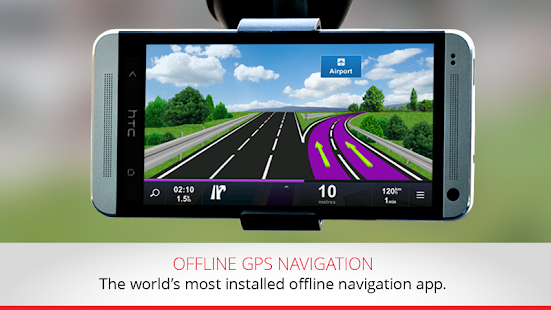
With GPS Navigation & Maps by Sygic you can enjoy FOREVER FREE: offline TomTom maps, POIs, route planning & free map updates. High quality maps from TomTom and other providers are stored on your Android phone, tablet or SD card for use without internet connection.
To get the most of the app upgrade to premium and enjoy lifetime: 3D maps, turn-by-turn voice-guided navigation, lane guidance, speed limit warnings & junction view with lane indicator arrows at complex intersections.
Enjoy FOREVER FREE: GPS, offline TomTom maps, POIs, route planning & free map updates, or upgrade to Premium Lifetime Navigation.
How to install GPS Navigation & Maps by Sygic http://youtu.be/6jIkkr-Wr8E
MX Player Pro v1.7.31 Patched
Requirements: 2.1 and up
Overview: THIS IS THE AD-FREE VERSION OF MX PLAYER.
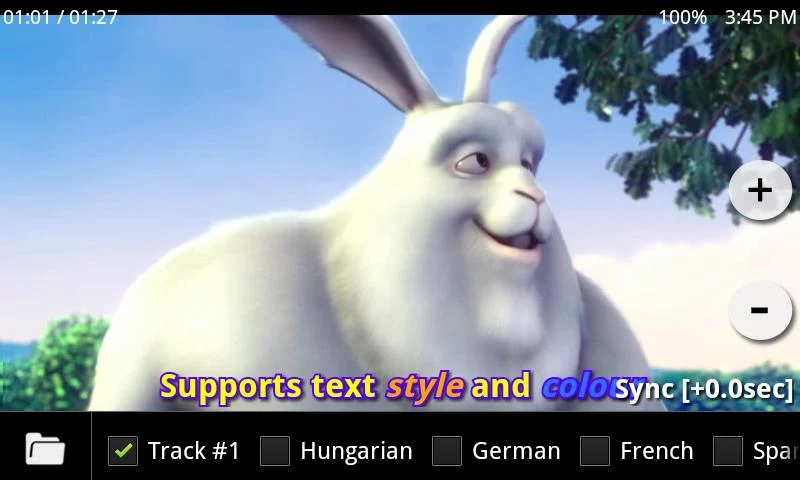
MX Player - The best way to enjoy your movies.
a) HARDWARE ACCELERATION - Hardware acceleration can be applied to more videos with the help of new H/W decoder.
b) MULTI-CORE DECODING - MX Player is the first Android video player which supports multi-core decoding. Test result proved that dual-core device’s performance is up to 70% better than single-core devices.
c) PINCH TO ZOOM - Zoom in and out with ease by pinching and swiping across screen.
d) SUBTITLE SCROLL - Subtitles can be scrolled to move back and forth faster.
e) KIDS LOCK - Keep your kids entertained without having to worry that they can make calls or touch other apps. (plugin required)
Root Explorer (File Manager) v3.2 (All Devices)
Requirements: Varies with device
Overview: Root Explorer is the ultimate file manager for root users. Access the whole of android's file system (including the elusive data folder!).
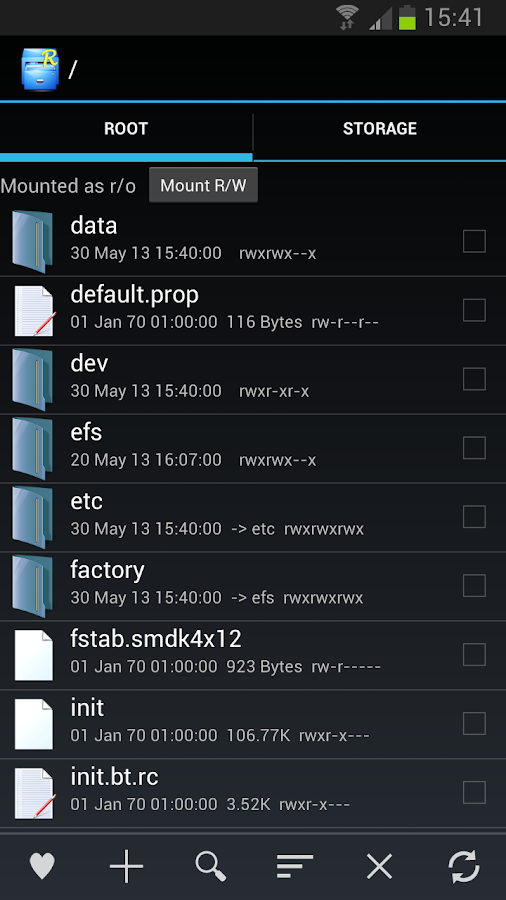
Features include multiple tabs, Google Drive, Box, Dropbox and network (SMB) support, SQLite database viewer, Text Editor, create and extract zip or tar/gzip files, extract rar archives, multi-select, execute scripts, search, remount, permissions, bookmarks, send files (via email, bluetooth etc), image thumbnails, APK binary XML viewer, change file owner/group, create symbolic link, "Open With" facility, MD5, create shortcuts.
For fast, friendly support simply email us: support@speedsoftware.co.uk
We will always try to help with any problem you may have with the app. If we can't help then you can have a refund, no questions asked.
Although 16,000+ five star ratings will tell you that most people are very satisfied customers. Make sure you read as many comments as possible to get a good idea of what most people think of the app.
We still respect the old 24 hour refund policy. So if you're not happy with the app just email us within 24 hours and you can have a refund. We'll need to know the order number, which you can find on the emails sent to you by Google when you downloaded.
Why compromise? Get the original and the best!
New permissions:
Full network access - Required for network and cloud access. No information is passed to us over the internet.
Add or remove accounts - Used by the Google Drive SDK to add a new account if desired. No changes are made to existing accounts and no details accessed apart from the account name.
Find accounts on the device - Used to list available accounts for logging into Google Drive.
Prevent from sleeping - Used to stop the device sleeping during long operations so they are not interrupted.
What's New
v3.2
• New white notification icon
• Simplified Chinese translation
• Various bug fixes
More Info:
Code:
https://play.google.com/store/apps/details?id=com.speedsoftware.rootexplorer
Download Instructions:
Root Explorer (File Manager) v3.2 build 92 (for Android 3.0 and up)
Mirror:
Root Explorer (File Manager) v3.2 build 91 (for Android 2.3 - 2.3.x)
Mirror:
SuperSU Pro v2.04
Requirements: Android 2.1+, Rooted phone
Overview: SuperSU is the Superuser access management tool of the future
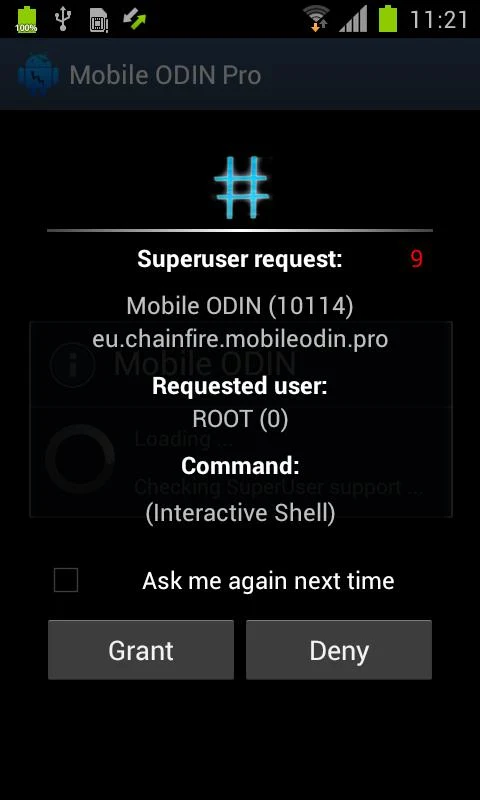
!!! SuperSU requires a rooted device !!!
SuperSU allows for advanced management of Superuser access rights for all the apps on your device that need root. SuperSU has been built from the ground up to counter a number of problems with other Superuser access management tools.
Features include:
- Superuser access prompt
- Superuser access logging
- Superuser access notifications
- Per-app notification configuration
- Temporary unroot
- Deep process detection (no more unknowns)
- Works in recovery (no more segfaulting)
- Works when Android isn't properly booted
- Works with non-standard shell locations
- Always runs in ghost mode
- Wake on prompt
- Convert to /system app
- Complete unroot
- Backup script to survive CyanogenMod nightlies
- Icon selectable from 5 options + invisible
- Theme selectable from 4 options
- Launch from dialer: *#*#1234#*#* or *#*#7873778#*#* (*#*#SUPERSU#*#*)
NOTE: Not all phones take both codes. On some phones you need to use single *# instead of double *#*#
The Pro version additionally offers:
- OTA survival mode (no guarantees)
- Full color-coded command content logging (input/output/error)
- Per-app logging configuration
- Per-app user override
- Grant/deny root to an app for a set amount of time
- PIN protection
- Per-app PIN protection
- Adjust auto-deny countdown
The discussion and support thread can be found on XDA-Developers here:
SUPERUSER
This is meant to replace Superuser (if installed), you use either one or the other. You cannot combine them. Statements that this breaks Superuser are therefore completely nonsensical.
NOTICE: A SPECIAL PROCEDURE IS NEEDED FOR UNINSTALLATION. IF YOU DO NOT LIKE THE APP, DO *NOT* JUST UNINSTALL IT, YOU *WILL* LOSE ROOT.
Superuser access management runs through a so called "su binary". There can be only one of these at a time. So if you install SuperSU, your previous superuser access management solution will no longer operate. So if you want to switch back: (1) Open that application, and search for an option for it to install/update/replace the "su binary". (2) Confirm root-using apps are using the superuser solution you want. (3) Uninstall SuperSU.
TRANSLATIONS
What's New:
- Fix bug where grant as default access still showed a prompt
- Added reboot button in dialog after binary update
- Added tapjacking protection - may cause issues with screen dimming apps!
- Added removing Team Venom SU
- Added new dalvik-cache paths to clear on package maintenance
This app has NO advertisements
More Info:
Code:
https://play.google.com/store/apps/details?id=eu.chainfire.supersu
https://play.google.com/store/apps/details?id=eu.chainfire.supersu.pro
Download Instructions:
Mirror:
BlueStacks 0.9.1 Build 4057 Kitkat Rooted [Offline]
Requirements: Windows XP and up
Overview: BlueStacks App Player lets you run your favorite mobile apps fast and fullscreen in your browser and on PC or Mac.

Tens of millions of people around the world use top apps like Candy Crush Saga, Telegram, Temple Run 2 and more on their laptops with BlueStacks. It took our engineers two years to build the complex “LayerCake” technology that enable this to happen. Download App Player for free while it remains in beta. Just click the button below to install on your PC or Mac.
This app has no advertisements
More Info:
Code:
http://www.bluestacks.com
Download Instructions:
Mirror:
TuneIn Radio Pro v12.6 build 162 (Google Play)
Requirements: Android 4.0 and up
Overview: TuneIn is real radio.
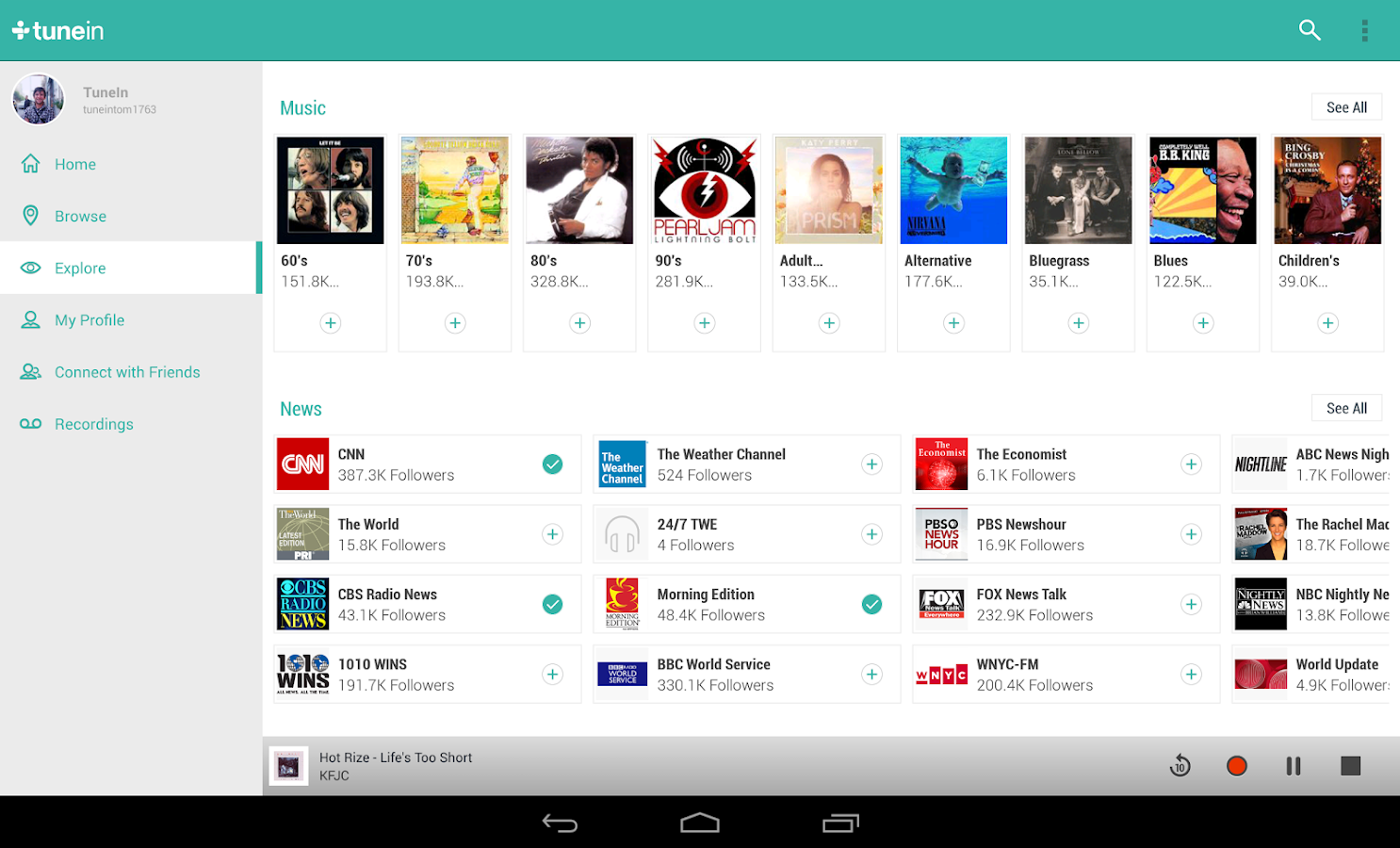
Discover, follow and listen to what’s most important to you from the world’s largest collection of sports, news, music and talk stations. TuneIn has over 100,000 real radio stations and more than four million podcasts from all over the world. TuneIn Radio Pro is display ad free and lets you record what you are listening to.
✪ +1 us on Google Play
✪ Like us on Facebook: http://www.facebook.com/tunein
✪ Follow us on Twitter: http://www.twitter.com/tunein
What's New
+ See all Echoes on a station, program or show, and join in the conversation with new Echo functionality
+ Various bug fixes and UI improvements
+ Google Wear Integration
This app has no advertisements
More Info:
Code:
https://play.google.com/store/apps/details?id=radiotime.player
Download Instructions:
Mirror:
Nova Launcher Prime v3.1 beta 4
Requirements: 4.0 and up
Overview: Highly customizable, performance driven, home screen replacement for Android 4.0+
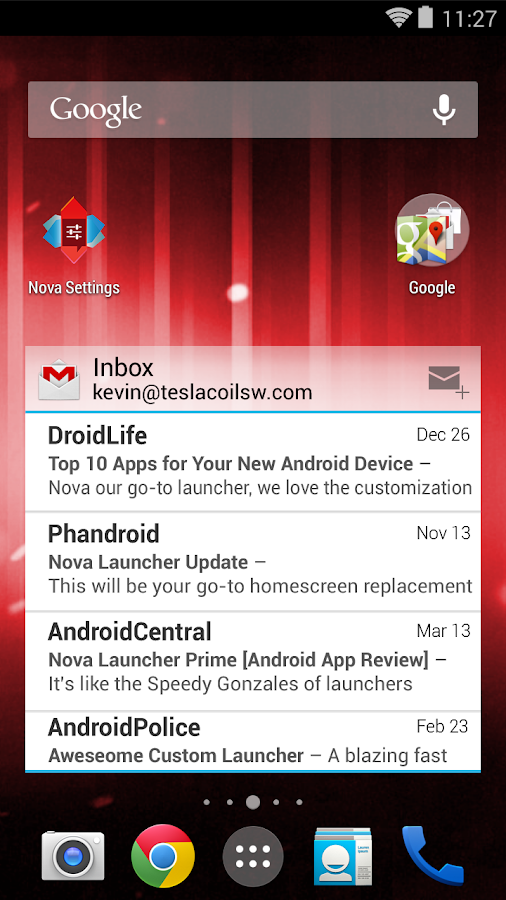
AAccept no substitues! Nova Launcher is the original and most polished customizable launcher for modern Android
Nova Launcher replaces your home screen with one you control and can customize. Change icon themes, colors, layouts, animations and more.
Reviewers love Nova Launcher and you will too
For my money, Nova Launcher is the best of the AOSP-style launchers available in Android. --Android Police
Nova Launcher has some very capable hands behind it --Phandroid
Our favorite is Nova Launcher, which strikes a great perfect balance between incredible performance and high customizability without getting too gimmicky and difficult to use --Lifehacker
Chock full of features you won't find in the stock launcher, and comes highly recommended --Android Central
• Ok, Google - Use Google Search's hotword right from the home screen, just say the words Ok, Google. Note: Google does not support all devices or locales yet. This limitaiton applies to Nova Launcher as well.
• Color Theme - Set the highlight accent color for the launcher
Also individual Color controls for labels, folders, unread count badges, drawer tabs and background
• Icon Themes - Find thousands of icon themes for Nova Launcher on the Play Store
• Subgrid positioning - Much greater control than standard launchers, Nova Launcher allows you to snap icons or widgets half way through the desktop grid cells
• Customize App Drawer - Custom tabs, Vertical or Horizontal scrolling, Custom effects
• Infinite scroll - Never far from your favorite page, loop through the desktop or drawer continously
• Backup/Restore - Sophisticated backup/restore system allowing you to backup your desktop layout and launcher settings
• Scrollable Dock - Create multiple docks and scroll between them
• Widgets in dock - Place any widget in your dock, such as a 4x1 music player widget
• Import Layout - No need to rebuild your desktop from scratch, Nova Launcher can import from most popular launchers. Including the one that came with your phone.
• Fast - Nova Launcher is highly optimized to do it's work quickly and quietly, keeping the animations smooth and letting you use your phone as fast as you can move your fingers.
What's New
Fix tab click
Show keyboard on App Search Nova Action
Fixes
This app has no advertisements
More Info:
Code:
https://play.google.com/store/apps/details?id=com.teslacoilsw.launcher
https://play.google.com/store/apps/details?id=com.teslacoilsw.notifier
Download Instructions:
1. Uninstall previous version of Nova Launcher and Tesla Unread plugin
2. Install Nova Launcher and the Tesla Unread plugin from my package (not from Google Play).
3. Enjoy!
This is patched version, fully unlocked prime funstions. No prime key is required.
If your ROM came with Nova Launcher you'll have to remove it before installing this.
Mirror:
